It has been a few months since I last posted. Part of this is because I was failing for a few months. I kept the social media apps off my phone, BUT I started using my phone’s web browser to scroll Instagram for hours a day again.
SO. I have now gotten through my smartphone and uninstalled everything that is not an only-functional app. This means my phone has: calling, texting, maps for emergencies, and music that consists of only downloaded songs for offline listening. I will also use my phone camera to take a photo in a quick moment, but I’m trying to use my point-and-shoot digital camera instead.
Limiting this and placing my phone in one room with the ringer on for emergency calls only has dropped my screen time significantly again. My screen time on Saturday was 6 minutes TOTAL and it was all spent in the text messages app seeing pictures of my niece and nephew.
I use my smartphone like a landline at home (making phone calls?! with my voice?!) and I keep it with me for emergencies when I’m out and about. I mean, I keep it with me for emergencies and offline music.
When I use Instagram or Facebook, I use them on my computer. When I watch YouTube, I watch it on my computer or my TV. That’s about all that I do online as well as writing here.
I’ve been reading the Terry Pratchett disc world Death series. I’ve been crocheting a (plain) blanket. I’ve been working my day job. I’ve been spending time with my toddler. I’ve been writing in my bullet journal.
Previously, I was spending 6-8 hours (!!!!!!) on my smartphone. Per. Day. I am immensely proud that I’ve brought that number down to 6-8 minutes per day and that I’ve made progress on all the above items instead.
In the next couple of weeks or days, I am going to begin writing more often and sharing some more photos of the single-use tools that I am using in my day to replace the use of my smartphone. I will also share some of the resources that I enjoy that are a source of inspiration for me to keep away from my smartphone.
Over the week, I did find two new apps to use but they are not time-wasters. The two apps are Wellos and Fable.
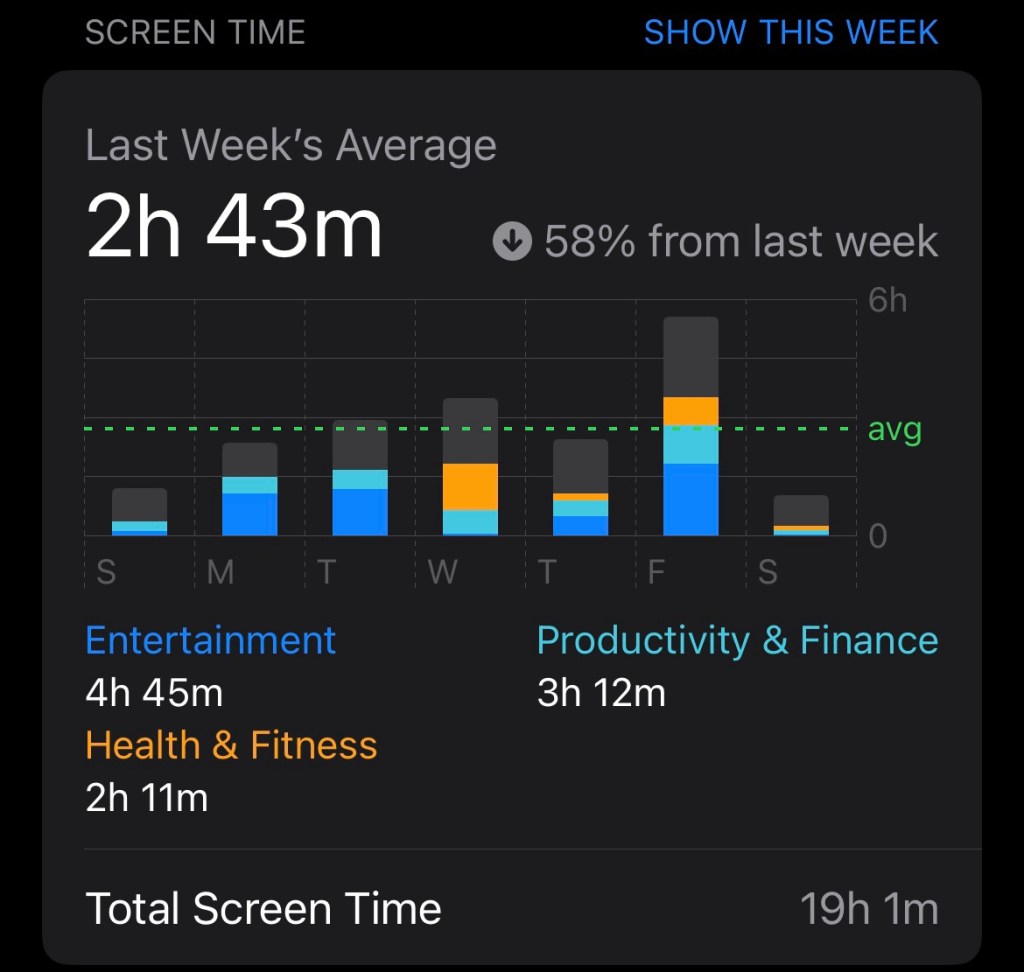
Screen time recap last week
Wellos is a health app that I have access to through my insurance. Fable is a book tracking app that also has book groups. I saw it through Instagram before I got rid of it and Fable is a great alternative to Goodreads since I’ve been trying to drop Amazon. (Goodreads is owned by Amazon.)
Even with the addition of health and reading tracking, my screen time for the week went down by 58% from the week before.
By creating a barrier to the apps for myself by only accessing them on my computer, I have greatly increased my reading time. I was able read the majority of the first Wheel of Time book in about 3 days. (The book is 744 pages!) I also finished reading ‘Home is Where the Bodies Are.’ (Not my favorite read.)
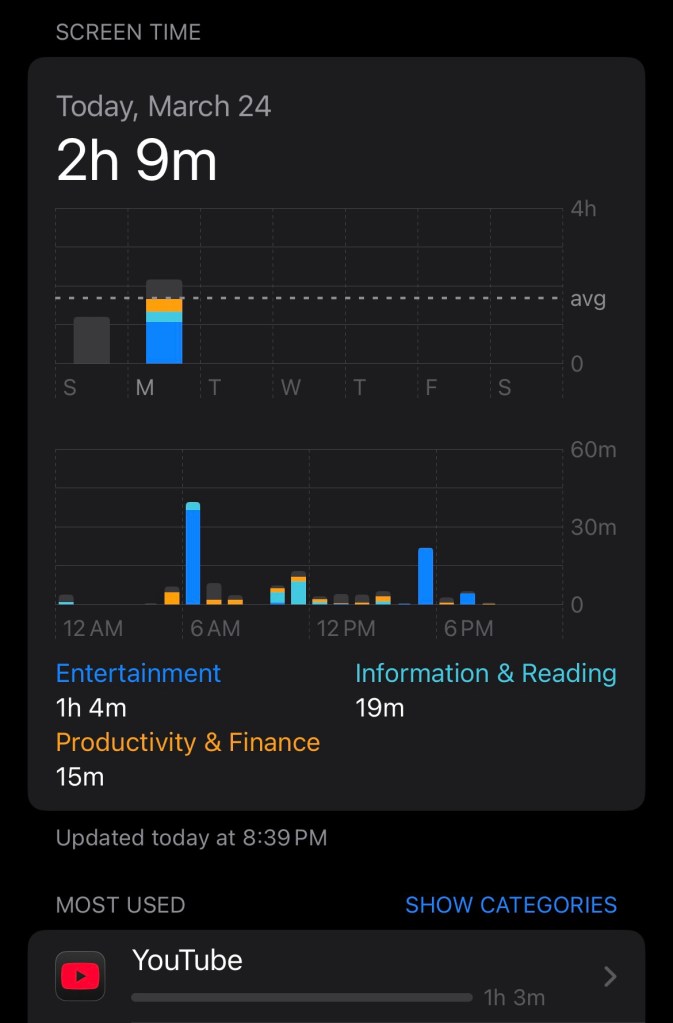
Today was a more typical day with listening to YouTube in the morning and the evening but it is still progress. The screen time app said that my daily average is down 76%!
Screen time 3.24
Even though it looks to be more than I would like, this is exactly what I was hoping for.
As an anecdote, I feel that my mood has been more stable but also more neutral. That is to say, I often feel like I feel nothing. It’s true that emotions are not supposed to be up and down constantly and shifting from very high to very low quickly, but I just feel very neutral and it feels like nothingness right now. I hope that using my time productively by making things and cleaning things will help any boredom to become fulfilling.
I have made progress in reading: I read two chapters of “Home is Where the Bodies Are” at lunch time and I read one chapter of the first “Wheel of Time” book in the evening.
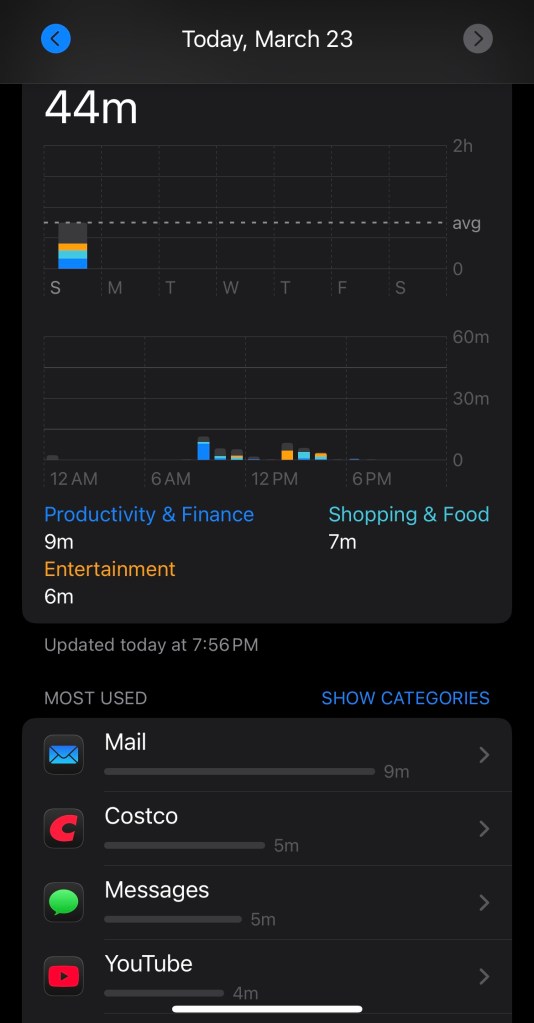
By deleting the social media apps, I have reduced my daily screen time tremendously. My daily average according to the app was 6 hours and today my usage was 44 mins. Granted, this was on a day off from work and I had errands to run, so I didn’t have time or a reason to listen to YouTube today like I normally do.
My previous plan was to check in weekly but I feel that daily checking in will help me to achieve my goal more efficiently since I will be keeping my eyes on it.
Back at the beginning of the year, I made a decision to stop my doomscrolling habits. Now at the end of the first quarter, I can say, that habit did not go away and it maybe even got worse.
I am here at the beginning of Quarter 2 to finally make and keep this promise and work on my habit of doomscrolling.
But first, my current habit:
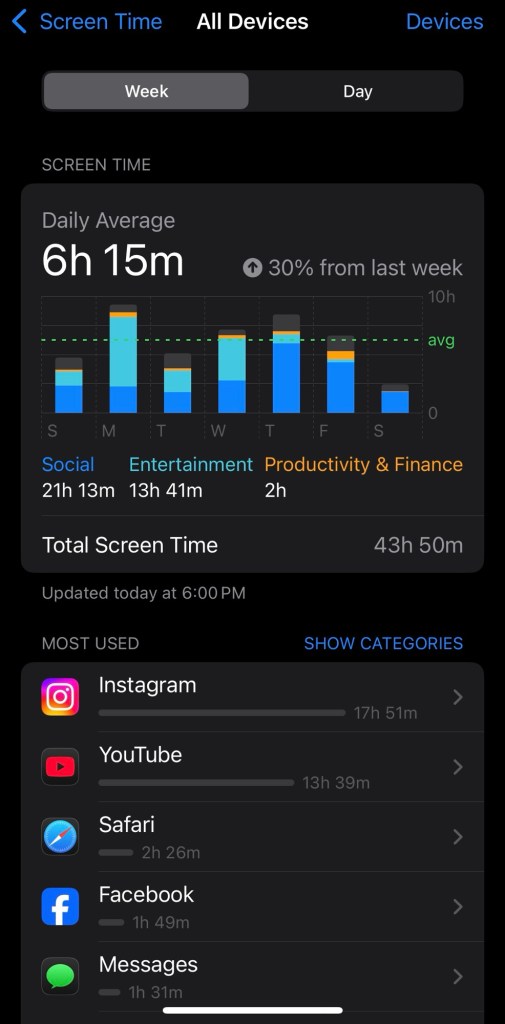
My current weekly screen time
As you can see, in a week’s time, Instagram stole (actually I gave them willingly) about 18 hours of my time. In a week.
YouTube looks bad at almost 14 hours but for that, I mainly pop headphones on and listen to videos while I accomplish other things.
Facebook wasn’t terrible at almost 2 hours in a full week but again, that’s two hours of sitting, scrolling, maybe interacting, but doing nothing.
In a week, almost a full day was used on social media apps. A full day. 21 hours and 13 minutes.
A goal needs steps. First steps:
I have deleted Instagram, Threads, LinkedIn and Facebook from my phone. I can access them on my computer as needed, and with that, I can set aside an intentional amount of time in my office for using social media apps.
Next week, I will check in with how this time compared to last time.
Second step:
If I feel like I want to scroll, I will read a book. I have nine books I am currently reading from my TBR pile. Let’s see how many of those I can finish with the 21 hours not being allocated to social media.
Have you made similar time-management decisions? How did they affect your life?
I’m just going to skip the fact that 2025 is right around the corner and time doesn’t feel real. I have lots of lofty goals for 2025 but something that I learned in the course of 2024 is that the little actions that we make each day add up to bigger progress than we could ever imagine in that moment. Some of the goals that I want to pursue are related to health and wellness of course, but I won’t bring them all up specifically.
One thing that will help me achieve those health-related goals is to not drink any sodas. It can be a fairly restrictive idea but last year, I made it through the whole first quarter of the year without a single soda. The thing that I focus on is drinking water, coffee, and tea instead. I don’t just focus on what I can’t have because then that’s ALL that I want and can think about.
I want to earn at least one Conquer’s Challenge medal in the year. I have started my first one which is a total of 145 miles in the timeframe of 6 months. This means walking 1-3 miles each day. That’s 20 mins to 1 hour of walking each day and that’s totally doable.
I want to read 15 books in the year. This isn’t too difficult for me because I read multiple books at any one time. I do this by reading 1-2 chapters every few days. I don’t literally read multiple books at the exact same time, but I can’t limit myself to one genre at a time because I choose which one of my “in-progress” books to read based on my mood.
I want to complete 3 specializations on Coursera. Specifically, I want to focus on business and leadership. My goal with this is to be able to grow in my career to become a leader in title as well as leading naturally. I also have more study goals that are specific to my career as an insurance claims adjuster, including to earn my Associate in Claims. This will also help me in the same goal of moving into a leadership position.
An ideal that will be hard for me to do as well but I would like to implement some of it is staying off social media. The exception would be to post on social media but I do not want to scroll endlessly. I want to post on Instagram and LinkedIn, and then there is a group on Facebook that I will check for a specific weekly post, but I will not scroll. My goal will be to keep total social media usage under 1 hour a day. In January, if I can start by keeping it under 2 hours per day, I will be happy with that start.
I want to keep up with my progress by blogging progress updates regularly. First, my goal will be once a week. If I can keep up with alllllllll that and the above items, then I will look into expanding that to three times per week. But these posts will include photos and essentially be my wordy version of “vlogs” so I also aim to make them quality posts.
That is a lot but I am a determined individual. What are your goals for 2025? Or how many categories are you looking to improve in during the course of the year?
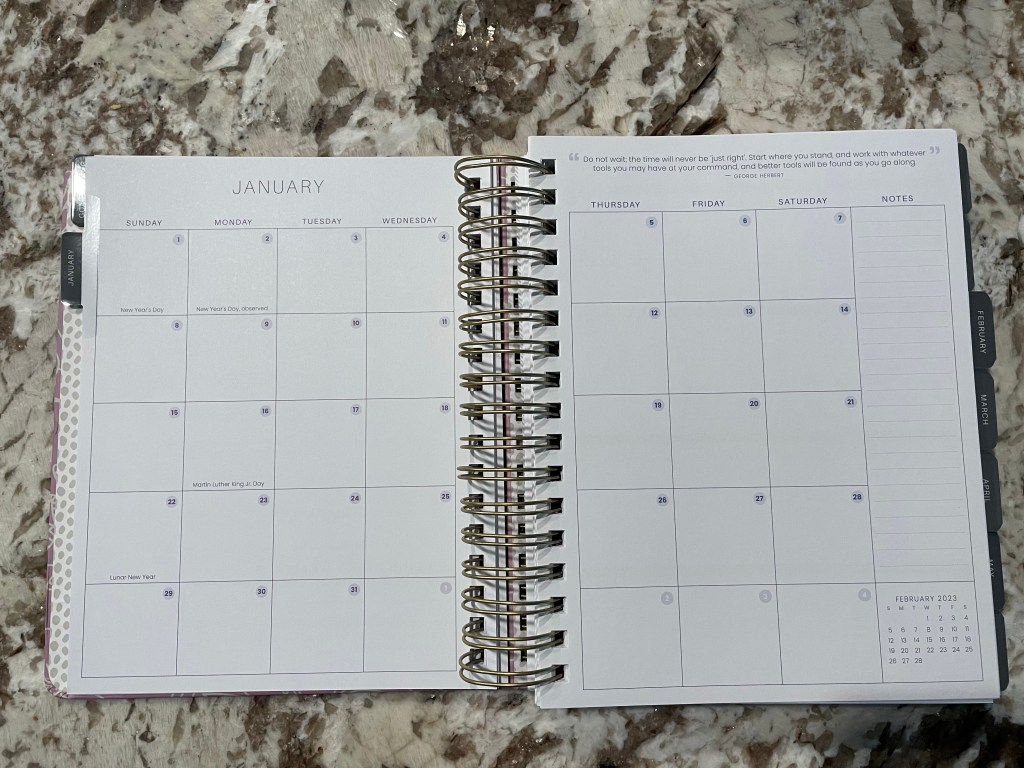
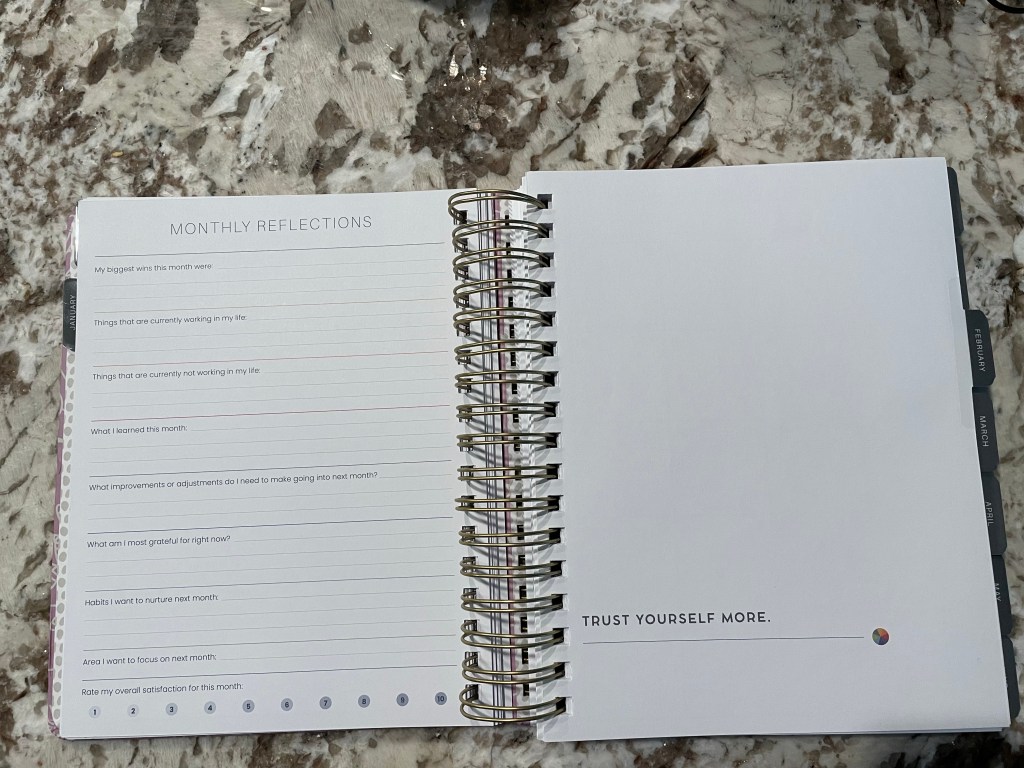
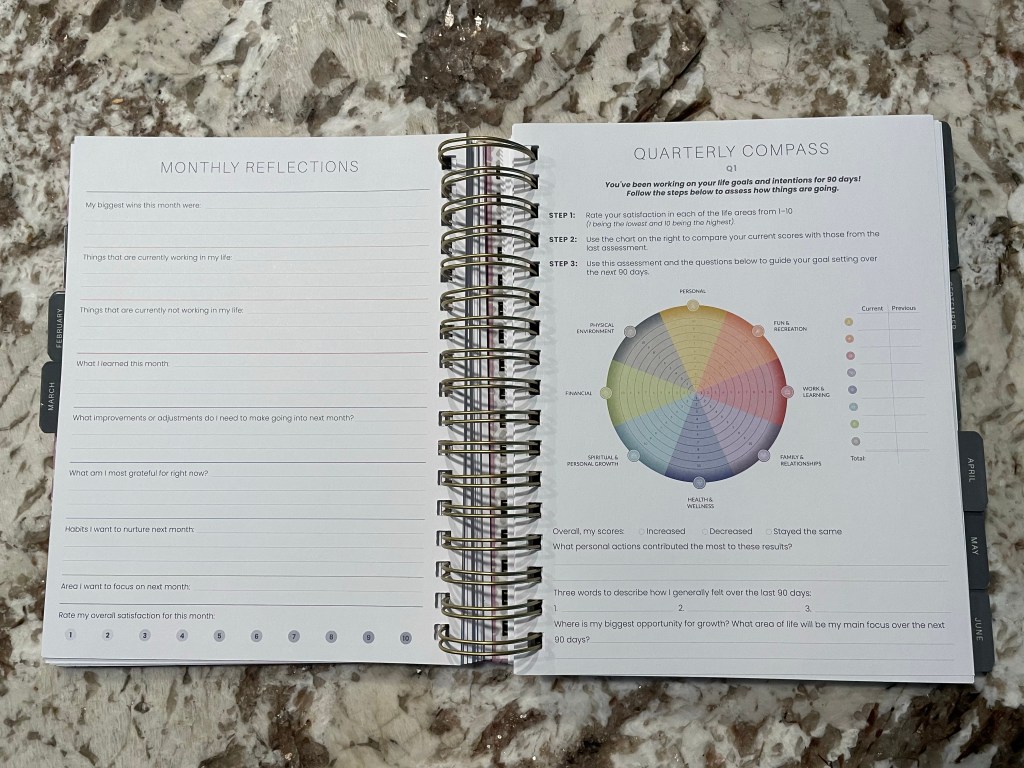
My previous main planner had the goal of simplifying my life. But it began doing the opposite. I started obsessing over the daily details and then writing down the same exact things everyday, believing that it would automate my life and bring myself into consistency. I’ve been drowning in this postpartum season of life and simplifying sounded good. Then comes the Makselife planner. I had bought this planner around April when it was on sale and around the same time I bought the other planner. I’m not sure why, but I had dropped it after it came and I tried to only use the goal work in the beginning of the book to find myself again. April through July ended up being chaos and my whole life and house looked like it. I brought the Makselife planner out of my shelf and put everything else away, telling myself to only use this planner to try and level things out and it has worked for the best.
The Makselife planner was made by a life coach named Sierra Friend and it came out first in 2019. Being a planner enthusiast, I had seen it around but the relatively high price tag always pushed me away. A one-year Makselife planner is regularly $76 according to the website so it’s one of the more expensive specialty planners. The company describes itself as a luxury planner company so the price makes sense.
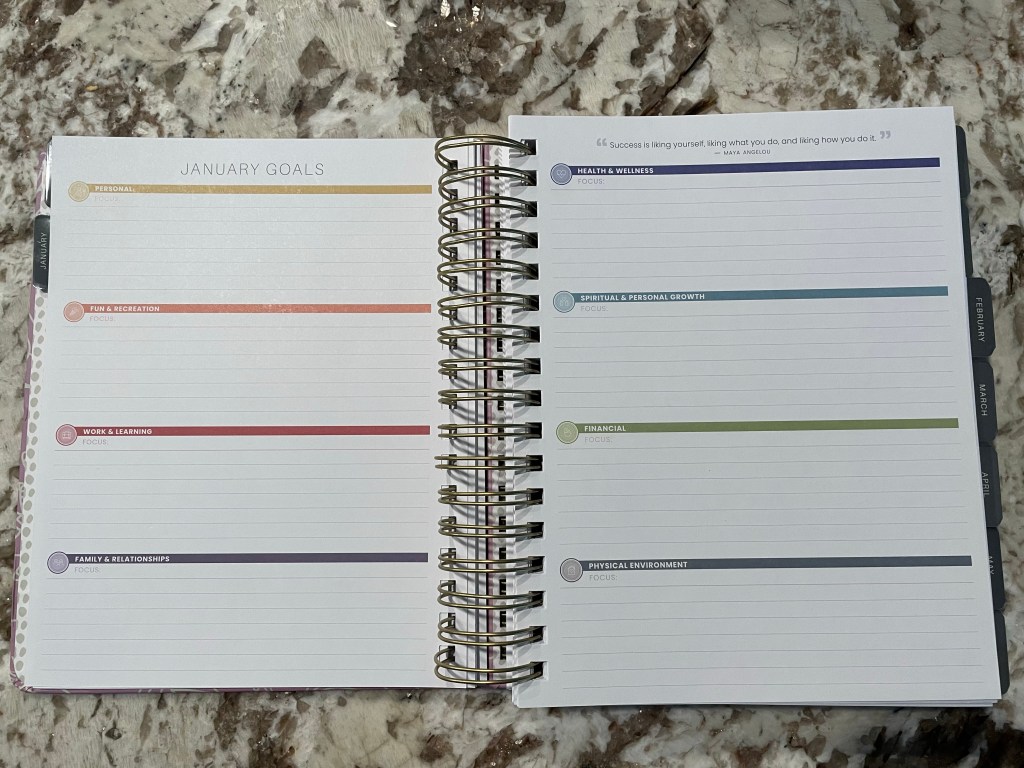
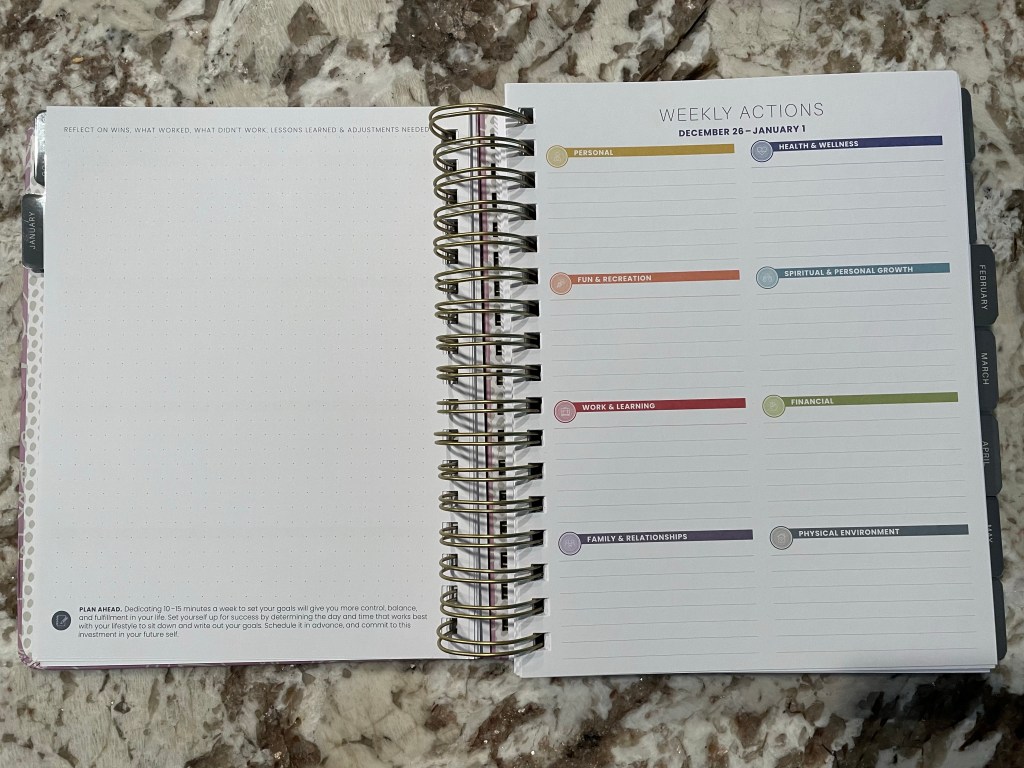
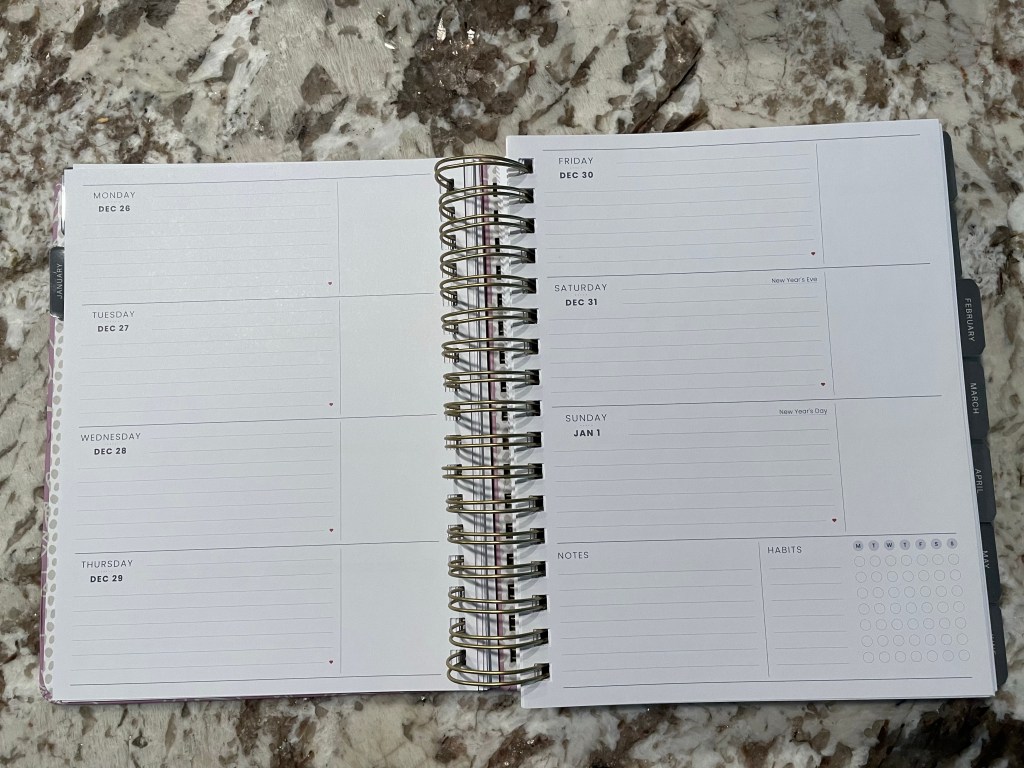
The purpose of putting the goal planning pages with the daily agenda pages is to keep your goals up front and plan out your days and actions with your goals in mind. Most planners keep the two separate or a goal planner company only releases a goal planner but not a daily agenda so this planner is unique in that it keeps the two completely together in one book.
There are 8 areas of life in the book that are the areas for goals and weekly actions. That may sound like a lot but in my case, most of the 8 can overlap or each can have its own goal that ties in with a goal from another life area, especially since my life has one overarching theme in it right now which is motherhood. According to the company, you don’t have to use all 8 areas if that’s too much for you but each area is important to the facets of most individual’s life and goals.
With this in mind, this planner has been my best tool for finding myself again and calming the sea of chaos around me that is my mental health, physical health, and physical environment.
They just came out with their 2024 planners at the end of September and I am anxiously awaiting being able to dive into the goal setting pages for the start of the new year.
Right after I finally have the nerve to permanently delete my social media accounts from Instagram and Facebook, they come up with Threads. My profiles are now permanently deleted so I won’t be re-joining but I just had to laugh at the situation.
I was also completely out of touch of the launch of Threads. I started seeing the name of the network on YouTube, my last remaining “social media” type of account, and I got confused. The branding of its posts looks similar to Twitter so I assume it’s Meta’s version of Twitter now that Twitter seems to be losing its user base and credibility.
In any case, I’m glad to be rid of social media. I have my time and my mind back. I feel as if I’m rediscovering myself as I should have been able to do in my later teen years and early 20’s. Also glad that I never got into TikTok or else I may never have gotten to this point.
Over the past few weeks, I have been off work because I left my most recent retail job suddenly and have been awaiting the start of my new job. In that time, I have been focused on my home, my health, and working on my Codecademy courses and it has been amazing. This was a much-needed rest and reset time and during this time, I have also worked to find tools that will help me to maintain my helpful routines even when I start to work again. The main tool that I have now and I’m looking forward to using in the coming weeks of managing work and home life is the Simplified Planner.
I had first heard of the Simplified Planner about 5 years ago when I had first started paying attention to the planner community on YouTube and Instagram. At that time, I thought about trying the planner but I didn’t want a daily planner that had a shared weekend page because I worked a variable schedule. During Covid from 2020 to 2022, I worked from home and didn’t use hardly any planners except for my Plum Paper planner that I used as a pregnancy and baby journal.
Now I am starting a job with a consistent schedule and I’m having to manage life with my toddler as well and the idea that Simplified as a company puts forth sounded appealing to me as a relatively new mom who works and is the primary household manager. The idea of simplifying or living a simplified life sounds so good to me! So for that reason, I decided to take advantage of the sale that Simplified has on their 2023 annual daily planners to give it a shot. And I am so glad I did!
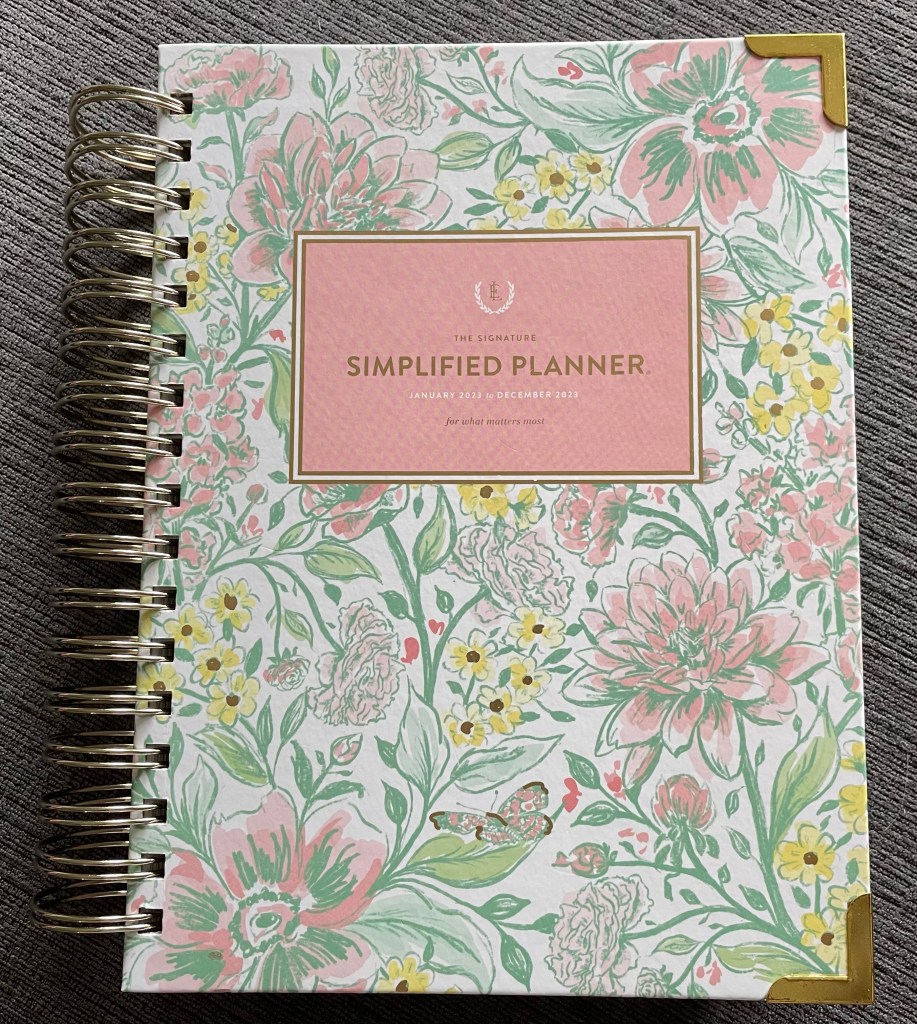
2023 Simplified Planner in Butterfly Garden
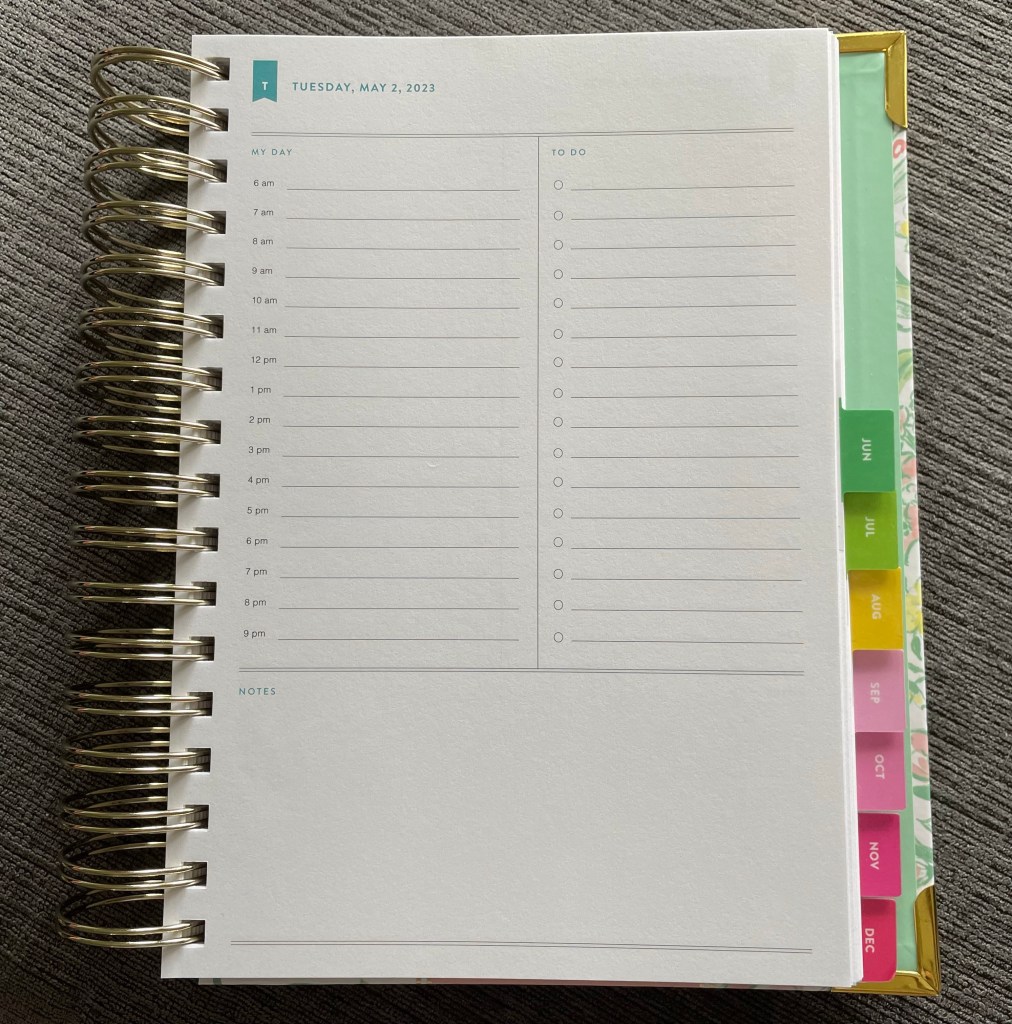
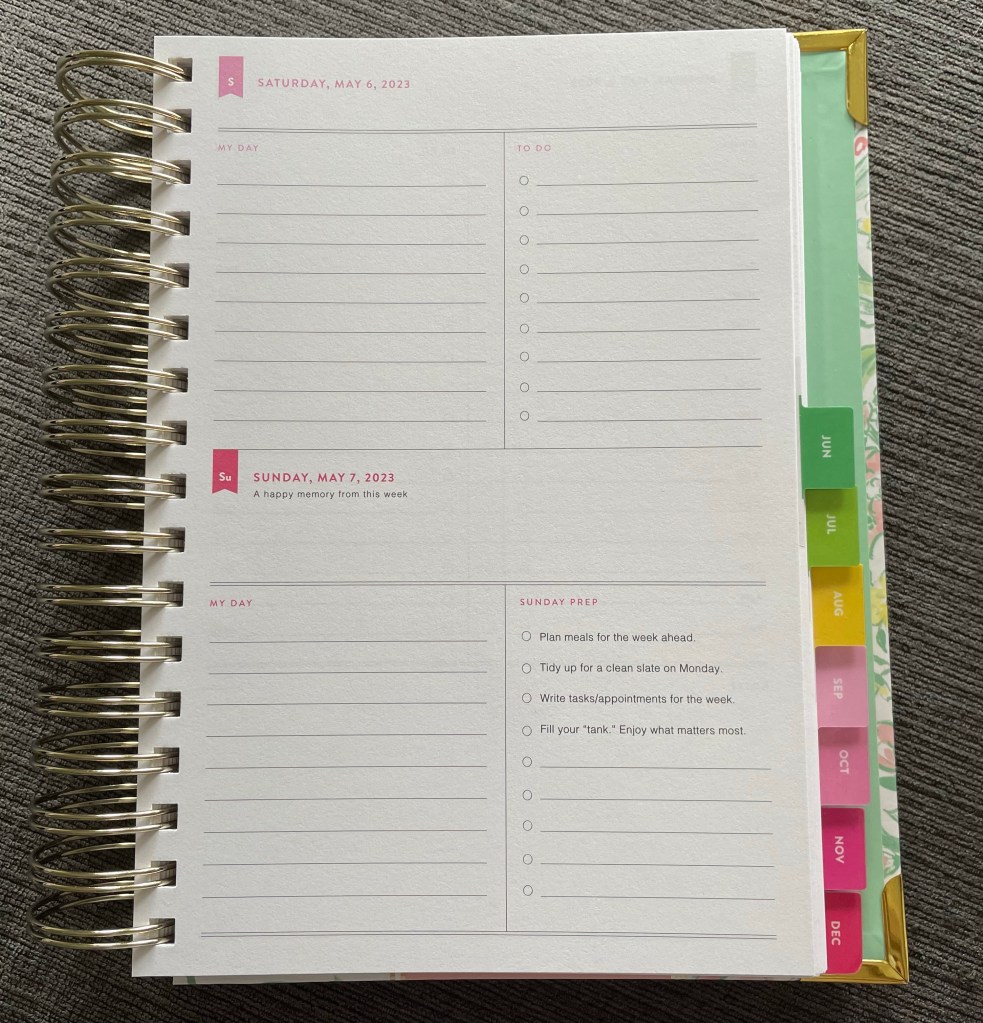
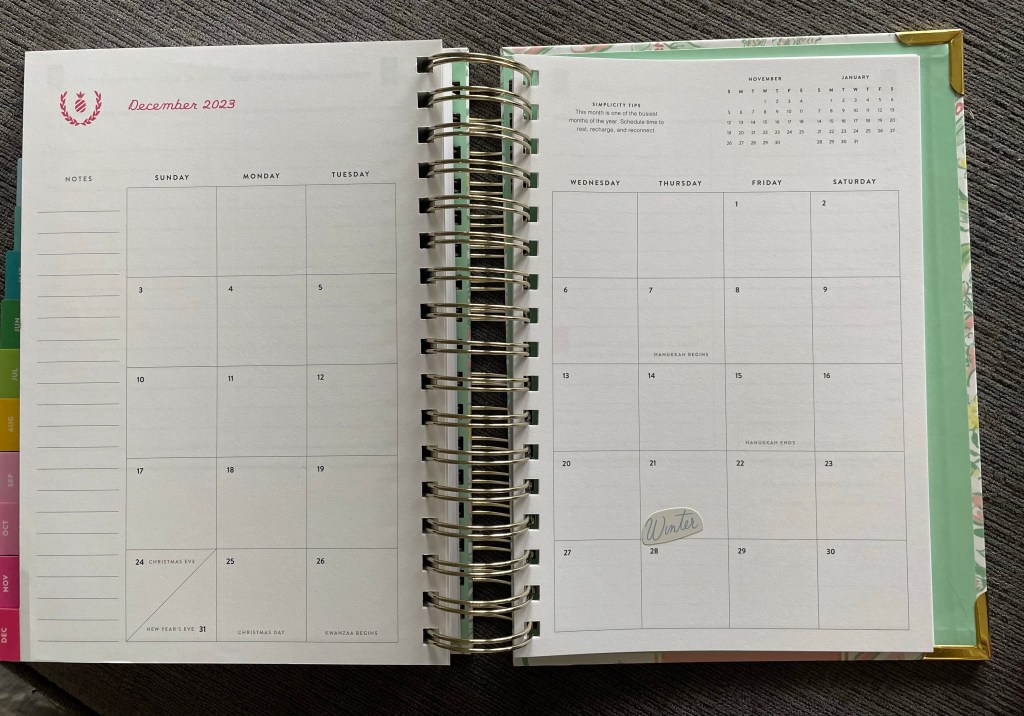
The Simplified Planner’s layout is a basic planner layout with the weekdays having a page-per-day and the weekend is on one page. Half of the daily page has an hourly timeline from 6am to 9pm and the other half is a to do list and the bottom quarter of the page is blank for notes. This layout is perfect because I can make regular to do’s and timed to do’s because I don’t have a lot of appointments. So I use the timeline for loose time-blocking. The planner also has monthly calendars which allow for planning in advance, at least that’s how I use it.
2023 Simplified Planner daily page
I have enjoyed this planner so much!
2023 Simplified Planner weekend page
Not only does the company make these gorgeous planners, but they also provide tips that are so helpful. For me, the tips and life ideas help immensely after going through the major life change of having a baby and admittedly losing myself going back to work after only 8 weeks postpartum.
2023 Simplified Planner monthly pages
In the front of the planner are what are called the Simplified prep work pages which are meant to orient you into the new year. I did this at the beginning of April but it was the fresh start that I so desperately needed. These prep pages were developed by the founder of Simplified, Emily Ley, and from the stories she has shared, she GETS IT when it comes to working-mom life overwhelm. I won’t share photos of the prep work because I wrote and highlighted all over my prep work pages but they are all about Simplified’s Process of Simplifying, how to use the planner, preparing for the new year, ideas for new routines, the Simplicity Challenge, (which is also shared on Simplified’s social media) and your yearly bucket list.
When I say that I desperately needed this fresh start, I mean it. This prep work was so refreshing for me as a mom of a 16-month old who is struggling hard with postpartum depression. It makes you think about how to improve but it doesn’t push you hard into the whole “hustle” “make it work” “just do it” kind of culture that many goal-oriented planners tend to push you into.
I know that this company is also 15 years old so I’m way late to the party, but I had to share how much this planner and process have helped me out of the figurative drowning that I was struggling through. The company also publishes a podcast which I tend to watch on YouTube and that has also helped me because the whole thing is just positive and so filled with light. Emily has also published books, which once I have read them I can share more thoughts about them. I started reading A Simplified Life on Kindle but it has questions that I really want to dig into so I ordered the physical copy on the Simplified website that I’m waiting anxiously for. Even reading chapters 1-5 has continued to help me in my struggles so I look forward to being able to use it as a reference and a workbook.
I know I’m not alone as well because the company has a Facebook group for the Simplified community which is amazing. I honestly just want to thank the Simplified team and Emily for everything they do because it helped me SO much.
(This post is not sponsored. Links are not affiliated links. This post is all my own opinions and inspired by my experiences. Photos are my own. The products mentioned belong to their own company/trademark.)
After I had watched the documentary “The Social Dilemma,” I have been off of social media and permanently deleted my profiles from Facebook, Instagram, Pinterest, and Twitter. After a couple of days of the quiet of not hearing all the opinions and news from my social media newsfeeds, I began to search for other sources of news. Through my research of the people in the documentary, I went to the website for the Center for Humane Technology and on the “Take Control” page, I found different news sources that allow you to have more control on the news you see. The main resource that the page highlighted for this use is AllSides, which is a balanced news source that filters multiple articles for many of the same stories based on user feedback to say which “side” the news headline and article comes from. Some are labeled as being from the Left, the Right and the Center. This allows you to understand the writer’s bias, since many if not all writers and news organizations have a particular bias. For example, my local newspaper has even announced its chosen presidential candidate that it endorses and the reasoning why. This leads me to compare its news stories to those of other writers to see what is common between them and what is different. In using this system, I hope to view news stories with a clear mind and to understand what is actually happening rather than what each side claims about the other. I know that they do this because it’s their job to make their own side look good but I find it confusing. I also don’t want to just find news stories that I agree with but basically want to cross-examine as many stories as I can.
(No sponsors, the links are provided above for convenience.)
 PaperCat